Navigating to and from delivery stops with ease
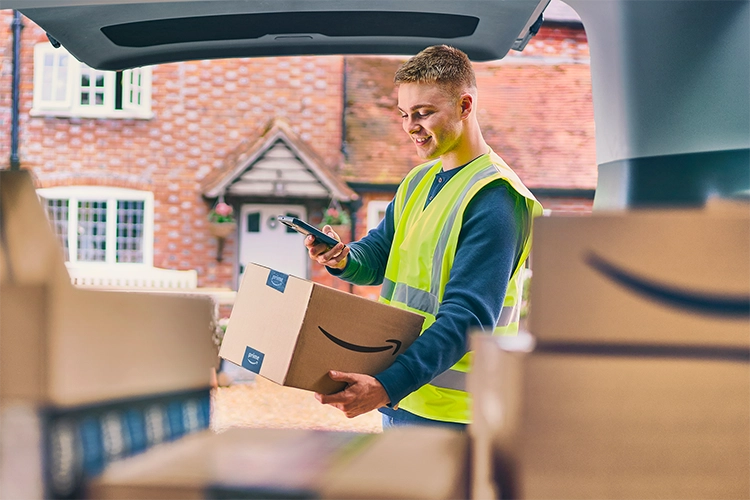
Amazon Flex maps are developed specifically for the needs of Amazon Flex delivery partners, and include guided navigation and offline capabilities. Here are some of the key features that can help you travel while delivering packages to customers.
Guided navigation
It’s important that you have timely, relevant, and easily understandable directions so you can focus on getting to each delivery location safely. In Amazon Flex maps, we show up-to-date road information to include the most straightforward directions to your next stop, prioritising your safety and time. Directions between package stops will prioritise your safety by minimising U-turns and walking across the road. You can choose to follow the guided navigation or exercise your own judgement to find the most optimal route between stops. Note that Amazon Flex maps may not capture all relevant road updates and you may find that actual conditions differ from the map results. Please remain vigilant and exercise your best judgment.
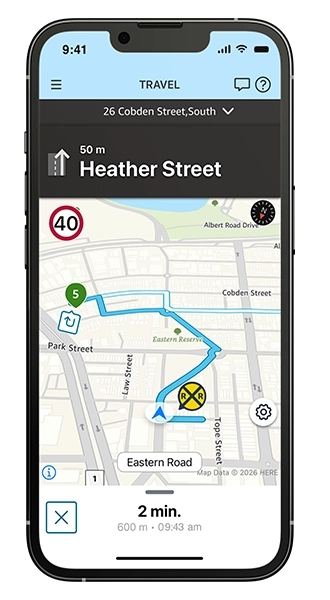
Offline maps
Where mobile coverage is limited or mobile carrier outages restrict your ability while on the road, you can download Amazon Flex maps to your phone before each block. To download a map for offline use, visit the settings screen in the Amazon Flex app, and scroll through the region list to find and select your area's map. You can also select to automatically download offline maps whenever you are connected to Wi-Fi. Your delivery station has free Wi-Fi for you to access to download offline Amazon Flex maps prior to the start of your delivery block.
You can provide detailed feedback about the Amazon Flex app navigation experience by clicking the gear icon in the map view and then “Report a problem.” Once we’ve resolved the issue or have an update to share, we’ll send you a message in the “Updates” section. For more information on each feature, visit the “Making deliveries” section in the Learning Portal in the Amazon Flex app.
Related Blog Posts

Meet a delivery partner who stays active and pursues his passions with Amazon Flex

Location-based information and support at your fingertips

Navigating the package drop-off process with ease

Delivery partner recommendations for making successful deliveries
Your guide to Amazon Flex earnings
With Amazon Flex, you choose when and how you earn
Download the Amazon Flex app
Create an account to set your schedule, see your earnings upfront, and start delivering with confidence.