Deliver and get rewarded
Earn points with every delivery and unlock rewards like grocery discounts, fuel savings, Preferred Scheduling, and more.
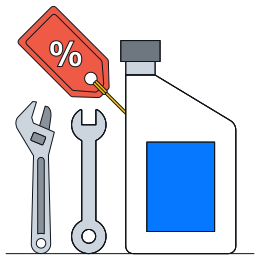
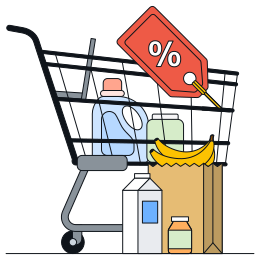
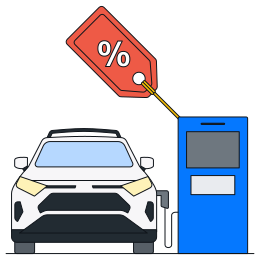
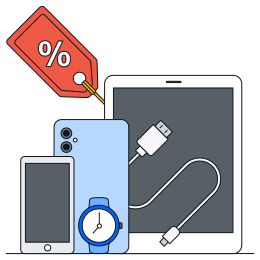

Amazon Flex Rewards
You will start earning points with each delivery.
Tap “Rewards Details” in Your Dashboard in the Amazon Flex app to see more.
Flexible scheduling
Take control of your time with features like Preferred Scheduling that make it easier to plan your day and maximise your earnings.

Earnings boosts
Unlock financial benefits like discounts on fuel to help you keep more of what you earn.
Lifestyle perks
Enjoy discounts and perks that make life on and off the road more rewarding.
Rewards and discounts by level
As you move from Level 1 through Level 4, unlock perks like Preferred Scheduling and enjoy greater savings on fuel, auto, retail and more.
Level 1 (1-399 points) | Level 2 (400-1599 points) | Level 3 (1600-3199 points) | Level 4 (3200+ points) | |||||
|---|---|---|---|---|---|---|---|---|
Preferred Scheduling Set your delivery preferences with more time to choose and schedule deliveries at higher levels. | - | Preferred station, day/time | Preferred station, day/time | Preferred station, day/time | ||||
- | 15 min to schedule blocks | 20 min to schedule blocks | 30 min to schedule blocks | |||||
Discounts | ||||||||
 Shell Fuel Rewards Amazon.com.au Gift Cards are subject to the Amazon.com.au Gift Card Terms and Conditions found here. Each Amazon Flex delivery partner with an Onsi membership and rewards Level 1 can buy up to $500 AUD of Amazon.com.au Gift Cards per month while rewards Level 2, 3 and 4 can buy up to $250 AUD of Amazon.com.au Gift Cards per month. Amazon.com.au Gift Cards will be delivered electronically. Amazon.com.au Gift Cards | 4% off | 5% off | 6% off | 7% off | ||||
 Shell Fuel Rewards Actual savings will vary depending on fuel prices at the time of purchase. AmpolCash Digital can be used at participating Ampol branded service stations that accept AmpolCash Digital. To find participating service stations visit the Ampol Site locator, enter your location and set the filter to "AmpolCash Digital Accepted". AmpolCash Digital cannot be redeemed at Woolworths Metro fuel stations. Ampol | 2% off per litre | 2% off per litre | 2% off per litre | 2% off per litre | ||||
 Shell Fuel Rewards Coles / Woolworths | 4% off Coles 4% off Woolworths | 6% off Coles 5% off Woolworths | 8% off Coles 6% off Woolworths | 10% off Coles 8% off Woolworths | ||||
 Shell Fuel Rewards Supercheap Auto | 8% off | 9% off | 10% off | 11% off | ||||
 Shell Fuel Rewards Bunnings | 4% off | 5% off | 7% off | 9% off | ||||
 Shell Fuel Rewards Rebel | 8% off | 9% off | 10% off | 11% off | ||||
 Shell Fuel Rewards Apple / Samsung | Up to 10% off Apple and up to 15% off Samsung | Up to 10% off Apple and up to 15% off Samsung | Up to 10% off Apple and up to 15% off Samsung | Up to 10% off Apple and up to 15% off Samsung | ||||
 Shell Fuel Rewards To access discounts, you must sign up and create an account on the Onsi app. Discounts offered are subject to availability, qualifying terms of applicable retailers and merchants, and may change from time to time in accordance with the Amazon Flex Rewards Program Terms and Conditions. Membership is with Onsi, not Amazon, and is subject to the Onsi terms and conditions that can be found in the Onsi app. | Featured discounts on popular brands, language lessons, and more | Featured discounts on popular brands, language lessons, and more | Featured discounts on popular brands, language lessons, and more | Featured discounts on popular brands, language lessons, and more | ||||
Discounts offered are provided by Onsi and may change from time to time in accordance with the Amazon Flex Rewards Program Terms and Conditions. Depending on the type of deal on offer, you will have the opportunity to either purchase a voucher at a discounted rate, be securely redirected to the deal partners' site to complete your purchase, or be provided with a voucher code. A monthly spending limit of $250 applies separately to each of the following retailers: Amazon.com.au Gift Cards, Coles, Woolworths, Rebel, Bunnings, and Supercheap Auto. This means you can spend up to $250 per month at each individual retailer across Rewards Level 2, 3, and 4 only.
What happens after you download the app
Create your account with the required info, then follow the onboarding steps. Once you’re set up, you’ll be ready to schedule your first delivery block and start earning.
How do I earn points?
With Amazon Flex Rewards, you earn points by completing blocks and making deliveries. You will earn a minimum of 10 points for each block you complete, and a minimum of 1 point for each delivery you make during that block. Your standing will determine how many points you earn for each block and delivery. You earn points with a standing of Fair, Great, or Fantastic. If your standing is At Risk, you will not earn points or enjoy rewards until you've improved your standing to Fair or higher.
What is a standing?
The Standings feature in the Amazon Flex app gives you information about your recent delivery history and how you can continuously improve the customer experience while delivering with Amazon Flex.
There are four Standings: Fantastic, Great, Fair, and At Risk. The majority of delivery partners have a Great or Fantastic standing, which means they are providing excellent service to our customers.
What is the earning period?
The Amazon Flex Rewards program has cyclical 3-month earning periods. The points you earn during an earning period determine the rewards levels you unlock and the rewards you enjoy. When you earn enough points to unlock a new rewards level, you gain access to the rewards offered in that level for the remainder of the current earning period as well as throughout the following 3-month earning period. At the end of each earning period, your point balance resets to zero and a new earning period begins. The earning periods are: January–March, April–June, July–September, and October–December. You can track your progress by going to the Amazon Flex app > Menu > Your Dashboard > Rewards Details.
What is Onsi and how do I access my rewards?
We have partnered with Onsi to provide delivery partners with access to deals and discounts. To access the rewards available through Onsi, you will need to set up an Onsi account and download the Onsi app.
Go to Amazon Flex App > Menu > Your Dashboard > Rewards Details > click ‘Access deals and discounts through the Onsi app’.
This will open the Onsi website and will give instructions on how to sign up and link your Onsi account to your Amazon Flex Rewards status. You may need to sign up to additional terms and conditions provided by Onsi in order to create an Onsi account. If you have an existing Onsi account, follow the directions to link your existing Onsi account to your Amazon Flex Rewards status and log in to see your rewards.
How do I maintain access to my Rewards?
To maintain access to your rewards, maintain a standing of Fantastic, Great or Fair and continue to make deliveries. If your standing decreases to At Risk, your access to rewards will be paused until you improve your standing. However, you will not lose rewards level and points you've already enrolled in or purchased. For more information about access to rewards, please refer to the Amazon Flex Rewards Program Terms and Conditions.
Learn more about your standing by going to the Amazon Flex App > Menu > Your Dashboard > Standing Details.
What is Preferred Scheduling?
With Preferred Scheduling, you can enjoy special reserved offers targeted to your preferences. And, you’ll have more time to accept them! These special reserved offers are called Rewards reserved offers. They will appear in addition to the offers you already see on the Offers page and will indicate that they are linked to your rewards level. The number of Rewards reserved offers that you’ll see is based on the availability of offers that match one or more of your Preferred Scheduling preferences. You will be able to set these preferences when you unlock rewards level 1. As you level up, you are more likely to see a higher number of Rewards reserved offers.
The extended time you’ll have to accept Rewards reserved offers will be based on your rewards level.
Rewards level 2: 15 minutes
Rewards level 3: 20 minutes
Rewards level 4: 30 minutes
Please note that Preferred Scheduling preferences and additional time to schedule apply only to Rewards reserved offers. All other non-Rewards reserved offers are subject to standard confirmation time limits and availability.
Download the Amazon Flex app
Create an account to set your schedule, see your earnings upfront, and start delivering with confidence.